[1]:
# Install hypertools (run this first on Colab)
import importlib.util
if importlib.util.find_spec('hypertools') is None:
    %pip install -q "hypertools[interactive,lsl]"
Streaming from a Lab Streaming Layer (LSL) device
Lab Streaming Layer (LSL) is the de facto standard for streaming time-synchronized data – EEG, eye tracking, motion capture, physiological signals, and more – from acquisition hardware/software into downstream analysis tools over the local network. hyp.io.lsl_stream() (GH #130) resolves a live LSL stream and wraps it as a plain Python iterator of per-sample numeric vectors – exactly the shape hyp.plot’s streaming support (GH #101, see the streaming
data tutorial) already expects from any generator – so an LSL stream plugs straight into hyp.plot(..., stream_init=..., stream_chunk=...) with no extra glue.
pylsl (which wraps the native liblsl library used by essentially every LSL-speaking device/app) is an optional dependency: pip install "hypertools[lsl]".
This tutorial doesn’t require any real hardware: it starts a synthetic LSL outlet on a background thread (publishing multi-channel oscillating data), so the whole example runs anywhere, on any machine, with no external device attached – but hyp.io.lsl_stream() itself is exactly the same function you’d use with a real EEG amp, eye tracker, or any other LSL-speaking device.
[2]:
import threading
import time

import numpy as np
import pylsl

import hypertools as hyp

%matplotlib inline
A synthetic LSL outlet
We publish a 6-channel signal – each channel a sine wave at a slightly different frequency, plus noise – via a real pylsl.StreamOutlet running on a background thread. This is the exact pattern used by hypertools’ own test suite (tests/test_lsl_streaming.py) to exercise hyp.io.lsl_stream() without any real hardware.
[3]:
N_CHANNELS = 6
STREAM_NAME = 'HypertoolsTutorialStream'


def sample_for_index(i, n_channels=N_CHANNELS, dt=0.02):
    """Sample i: channel c oscillates at frequency (0.5 + 0.1*c) Hz, plus a
    little noise -- distinct-but-related channels, easy to tell apart in
    the resulting plot."""
    t = i * dt
    return [np.sin(2 * np.pi * (0.5 + 0.1 * c) * t) + 0.05 * np.random.randn()
            for c in range(n_channels)]


def start_synthetic_outlet(name=STREAM_NAME, stream_type='EEG',
                           n_channels=N_CHANNELS, rate=100.0,
                           push_interval=0.01):
    """Start a REAL pylsl.StreamOutlet on a background daemon thread,
    continuously pushing synthetic samples until `stop` is set."""
    info = pylsl.StreamInfo(name, stream_type, n_channels, rate, 'float32',
                            f'hypertools-tutorial-{name}')
    outlet = pylsl.StreamOutlet(info)
    stop = threading.Event()

    def _push():
        i = 0
        while not stop.is_set():
            outlet.push_sample(sample_for_index(i, n_channels))
            i += 1
            time.sleep(push_interval)

    thread = threading.Thread(target=_push, daemon=True)
    thread.start()
    return thread, stop


outlet_thread, stop_outlet = start_synthetic_outlet()
print(f'synthetic LSL outlet {STREAM_NAME!r} running on a background thread')
synthetic LSL outlet 'HypertoolsTutorialStream' running on a background thread
2026-07-17 04:26:26.854 (   3.786s) [          957C28]         api_config.cpp:126   INFO| Loaded default config
2026-07-17 04:26:26.854 (   3.786s) [          957C28]             common.cpp:78    INFO| git:64988c6a14b8dc3b3f270ece58eab4f480bfab43/branch:refs/tags/v1.17.7/build:Release/compiler:AppleClang-17.0.0.17000013/link:SHARED
Resolving the stream and plotting it live
hyp.io.lsl_stream(name=...) resolves the outlet above (by its LSL name property) and returns an iterator of per-sample vectors. hyp.plot treats it exactly like the synthetic generator in the streaming data tutorial: stream_init primes the plot with that many initial samples, then stream_chunk samples are pulled and appended per animation frame, up to stream_max total samples retained on screen.
[4]:
stream = hyp.io.lsl_stream(name=STREAM_NAME, timeout=5.0)

fig = hyp.plot(stream, stream_init=200, stream_chunk=20, stream_max=600,
               title='Live LSL stream (synthetic outlet)',
               save_path='lsl_stream.gif', show=False)
fig.stream_info['n_samples'], fig.stream_info['xform_data'][0].shape
[4]:
(600, (600, 3))
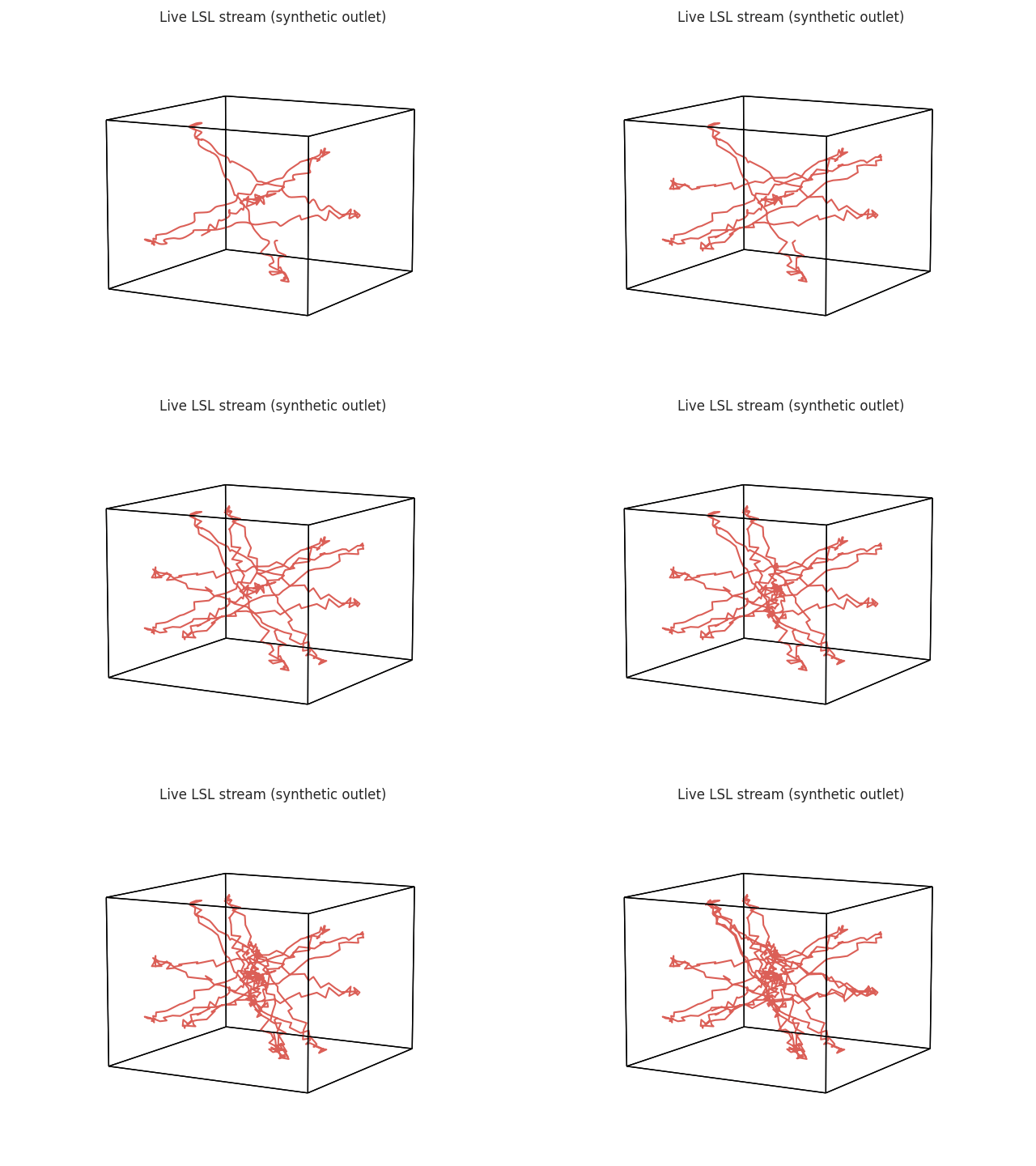
(The animation above is loaded from ``lsl_stream.gif``, written by the cell above; if your environment does not render it inline, open the file directly.)
Cleaning up the synthetic outlet
Stop the background-thread outlet once we’re done streaming from it (a real device’s outlet is managed by its own acquisition software, so this step is specific to this tutorial’s synthetic stand-in).
We close the stream iterator first (closing the underlying LSL inlet), and only then stop the outlet thread. In that order, the teardown is silent; if the outlet vanishes while the inlet is still open, liblsl logs an alarming (but harmless) ‘stream transmission broke off’ error while it tries to re-connect.
[5]:
stream.close()  # close our LSL inlet before tearing down the outlet
stop_outlet.set()
outlet_thread.join(timeout=5.0)
print('outlet thread stopped:', not outlet_thread.is_alive())
outlet thread stopped: True
Using a real device
Everything above works identically with a real LSL-speaking device or application (an EEG amplifier, eye tracker, motion capture rig, etc.) – just resolve it by type= instead of name= (or both):
# resolve any live EEG-type stream on the local network
stream = hyp.io.lsl_stream(type='EEG', timeout=10.0)
hyp.plot(stream, stream_init=200, stream_chunk=20)
See labstreaminglayer.org for the full list of LSL-speaking acquisition software, and the `hyp.io.lsl_stream API reference <../api.rst>`__ for the full parameter list.