[1]:
# Install hypertools (run this first on Colab)
import importlib.util
if importlib.util.find_spec('hypertools') is None:
    %pip install -q "hypertools[interactive]"
Visualizing text
[2]:
%matplotlib inline
import warnings
warnings.filterwarnings('ignore')

import numpy as np
import requests

import hypertools as hyp
In this example we will download some text from Wikipedia, split it up into chunks, and then plot it. We fetch the live articles directly from the MediaWiki API using requests (a hypertools dependency), sending a descriptive User-Agent header as required by Wikimedia’s User-Agent policy. If the download fails (e.g., no network access), we fall back to a pair of
short built-in snippets – and print a notice, so the substitution is never silent.
[3]:
WIKI_API = 'https://en.wikipedia.org/w/api.php'
HEADERS = {'User-Agent':
           'hypertools-tutorial/1.0 (https://github.com/ContextLab/hypertools)'}


def wiki_text(title):
    """Fetch the plain-text content of a live Wikipedia article."""
    params = {'action': 'query', 'prop': 'extracts', 'explaintext': 1,
              'redirects': 1, 'format': 'json', 'titles': title}
    response = requests.get(WIKI_API, params=params, headers=HEADERS,
                            timeout=30)
    response.raise_for_status()
    page = next(iter(response.json()['query']['pages'].values()))
    return page['extract']


def chunk(s, count):
    """Split the string `s` into `count` roughly equal-length chunks."""
    size = max(1, len(s) // count)
    return [s[i * size:(i + 1) * size] for i in range(count)]


chunk_size = 5

try:
    dog_text = wiki_text('Dog')
    cat_text = wiki_text('Cat')
except Exception as e:
    print(f'NOTE: live Wikipedia fetch failed ({type(e).__name__}: {e}); '
          'falling back to short built-in text snippets.')
    dog_text = ("Dogs are domesticated mammals, not natural wild animals. "
                "They were originally bred from wolves. They have been bred "
                "by humans for a long time, and were the first animals ever "
                "to be domesticated.")
    cat_text = ("Cats are small carnivorous mammals. They are the only "
                "domesticated species in the family Felidae and are often "
                "referred to as domestic cats to distinguish them from the "
                "wild members of the family.")

dog = chunk(dog_text, chunk_size)
cat = chunk(cat_text, chunk_size)
print(f'dog article: {len(dog_text):,} characters in {len(dog)} chunks; '
      f'cat article: {len(cat_text):,} characters in {len(cat)} chunks')
dog article: 51,258 characters in 5 chunks; cat article: 49,992 characters in 5 chunks
Below is a snippet of some of the text from the (live) dog Wikipedia article. The word dog appears in many of the sentences, along with related words like wolf.
[4]:
dog[0][:1000]
[4]:
'The dog (Canis familiaris or Canis lupus familiaris) is a domesticated descendant of wolves. Also called the domestic dog, it was selectively bred during the Late Pleistocene by hunter-gatherers. Dogs and the modern gray wolf share a common ancestor. Dogs were the first species to be domesticated over 14,000 years ago, before the development of agriculture, though genetic studies suggest the domestication process may have begun over 25,000 years ago. Due to their long association with humans, dogs have gained the ability to thrive on a starch-rich diet that would be inadequate for other canids.\nDogs have been bred for desired behaviors, sensory capabilities, and physical attributes. Dog breeds vary widely in shape, size, and color. They have the same number of bones (with the exception of the tail), powerful jaws that house around 42 teeth, and well-developed senses of smell, hearing, and sight. Compared to humans, dogs possess a superior sense of smell and hearing, but inferior visual'
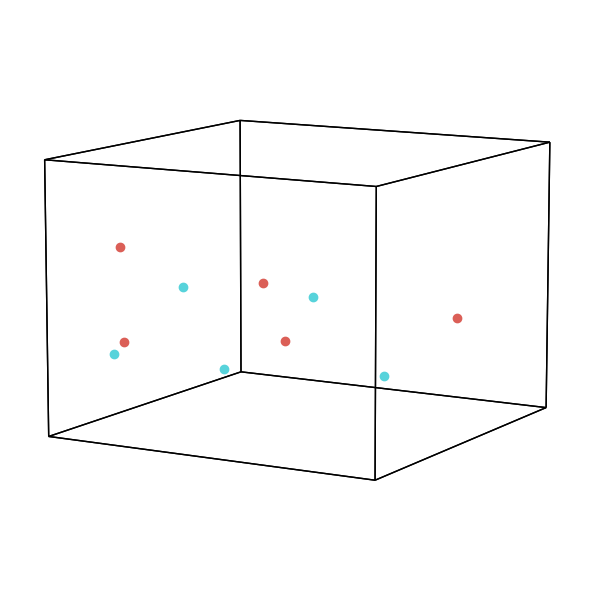
Now we will simply pass the text samples as a list to hyp.plot. By default hypertools will transform the text data using a topic model that was fit on a variety of wikipedia pages. Specifically, the text is vectorized using the scikit-learn CountVectorizer and then passed on to a LatentDirichletAllocation model to estimate topics. As can be seen below, the chunks from the two full-length animal articles occupy heavily overlapping regions of topic space – dog and cat are described
with very similar language. The value of the topic space becomes clearer in the next plot, when we add a genuinely different topic.
[5]:
hue = ['dog'] * len(dog) + ['cat'] * len(cat)
fig = hyp.plot(dog + cat, 'o', hue=hue, size=[8, 6])
Now, let’s add a third very different topic to the plot.
[6]:
try:
    bball_text = wiki_text('Basketball')
except Exception as e:
    print(f'NOTE: live Wikipedia fetch failed ({type(e).__name__}: {e}); '
          'falling back to a short built-in text snippet.')
    bball_text = ("Basketball is a team sport in which two teams, most "
                  "commonly of five players each, opposing one another on "
                  "a rectangular court, compete with the primary objective "
                  "of shooting a basketball through the defender's hoop.")

bball = chunk(bball_text, chunk_size)

hue = ['dog'] * len(dog) + ['cat'] * len(cat) + ['bball'] * len(bball)
fig = hyp.plot(dog + cat + bball, 'o', hue=hue, labels=hue, size=[8, 6])
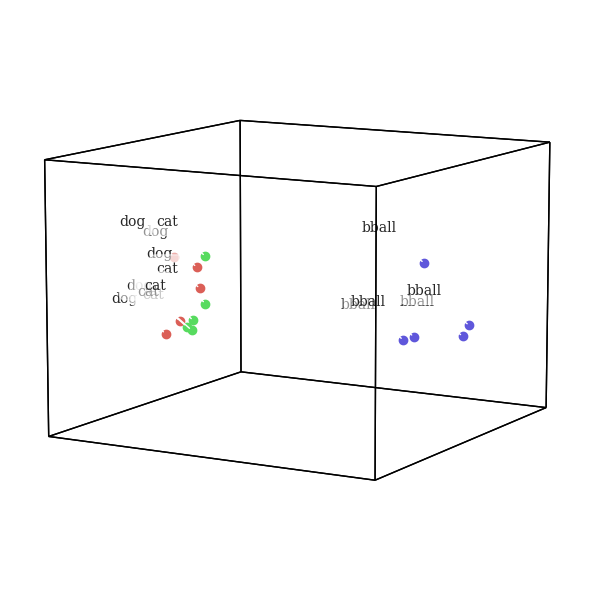
As you might expect, the cat and dog text chunks are closer to each other than to basketball in this topic space. Since cats and dogs are both animals, they share many more features (and thus are described with similar text) than basketball.
Visualizing NIPS papers
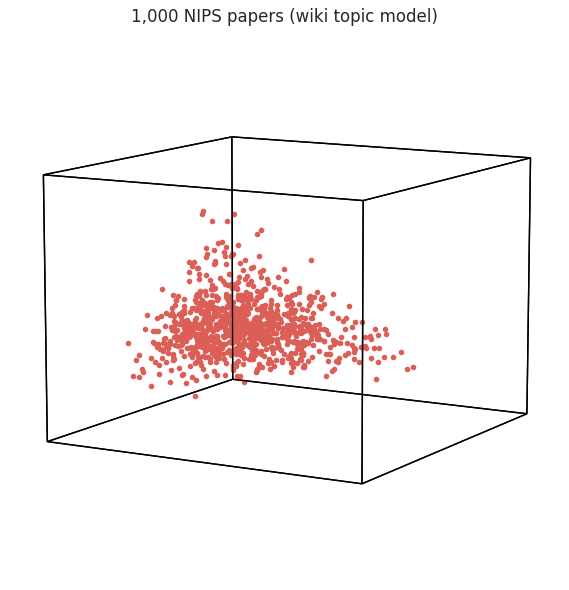
The next example is a corpus of 7,241 NIPS papers published between 1987 and 2016. This (real, hosted) dataset can be loaded with hyp.load('nips'); it contains the text of each paper. Below we transform a random sample of 1,000 papers with the default wiki topic model and plot each paper as a dot.
[7]:
nips = hyp.load('nips')
papers = [str(paper) for paper in nips[0].ravel()]
print(f'{len(papers):,} NIPS papers')

rng = np.random.default_rng(42)
sample_idx = sorted(rng.choice(len(papers), size=1000, replace=False))
nips_sample = [papers[i] for i in sample_idx]

fig = hyp.plot(nips_sample, '.', size=[8, 6],
               title='1,000 NIPS papers (wiki topic model)')
7,241 NIPS papers
Visualizing Wikipedia pages
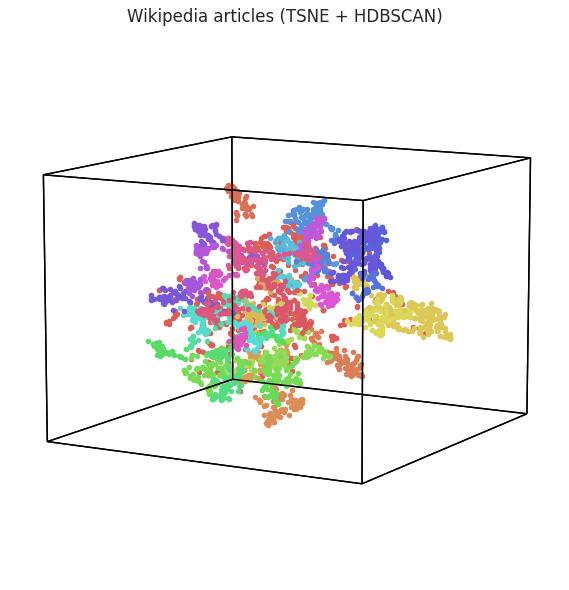
Here, we will plot hypertools’ hosted corpus of Wikipedia articles (hyp.load('wiki')), transformed using the default ‘wiki’ topic model that was fit on the same articles. We will reduce the dimensionality of the data with TSNE, and discover clusters with the HDBSCAN algorithm – all in a single hyp.plot call.
[8]:
wiki = hyp.load('wiki')
articles = [str(article) for article in wiki[0].ravel()]
print(f'{len(articles):,} Wikipedia articles')

fig = hyp.plot(articles, '.',
               reduce={'model': 'TSNE', 'kwargs': {'random_state': 42}},
               cluster='HDBSCAN', size=[8, 6],
               title='Wikipedia articles (TSNE + HDBSCAN)')
3,136 Wikipedia articles
Visualizing State of the Union addresses
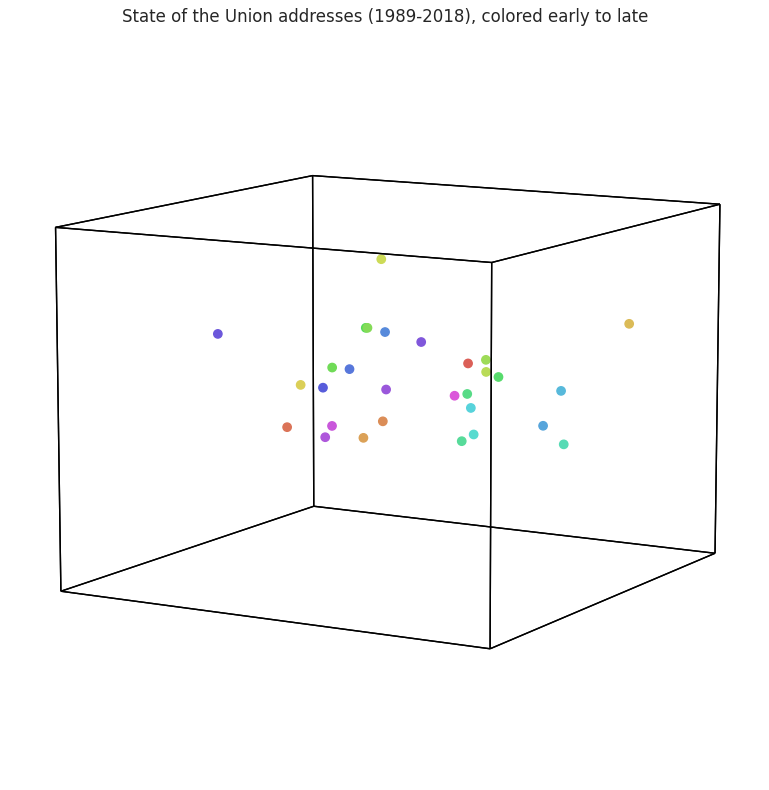
In this example we will plot each State of the Union address from 1989 through 2018 (29 addresses, loaded with hyp.load('sotus')). Each address is plotted as one dot, colored by its chronological position (the hue sweeps from red/orange for the earliest addresses through green, blue, and violet for the most recent ones). Addresses delivered close together in time – usually by the same president – tend to use similar language, so dots with similar colors tend to fall near one another in
topic space (though the separation is far from perfect).
[9]:
sotus = hyp.load('sotus')
print(f'{len(sotus)} State of the Union addresses')

order = np.arange(len(sotus), dtype=float)  # chronological position
fig = hyp.plot(sotus, 'o', hue=order, size=[10, 8],
               title='State of the Union addresses (1989-2018), '
                     'colored early to late')
29 State of the Union addresses
Changing the reduction model
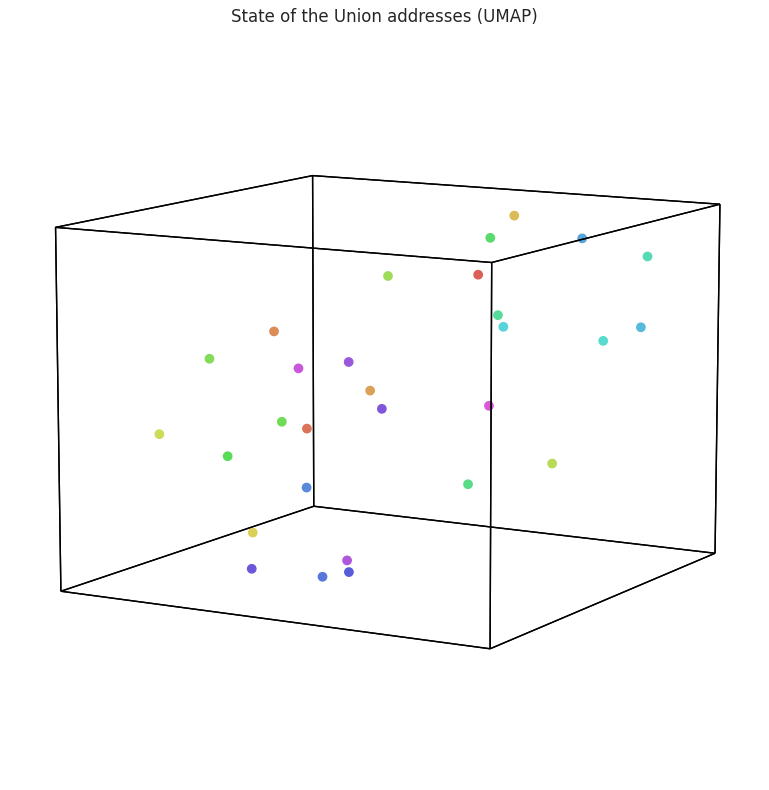
These data are reduced with (incremental) PCA by default. Want to visualize using a different algorithm? Simply change the reduce parameter – below we pass the dict form so we can also seed UMAP’s random_state, making the layout reproducible. This gives a different, but equally interesting, low-dimensional representation of the data.
[10]:
fig = hyp.plot(sotus, 'o', hue=order,
               reduce={'model': 'UMAP', 'kwargs': {'random_state': 42}},
               size=[10, 8],
               title='State of the Union addresses (UMAP)')
Defining a corpus
Now let’s change the corpus used to train the topic model. Specifically, we’ll fit the model to the ‘nips’ corpus – the collection of scientific papers we loaded above – by setting corpus='nips'. You can also pass your own text (as a list of documents) to fit the model to any corpus you like.
[11]:
fig = hyp.plot(sotus, 'o', hue=order,
               reduce={'model': 'UMAP', 'kwargs': {'random_state': 42}},
               corpus='nips', size=[10, 8],
               title='State of the Union addresses (NIPS-trained topics)')
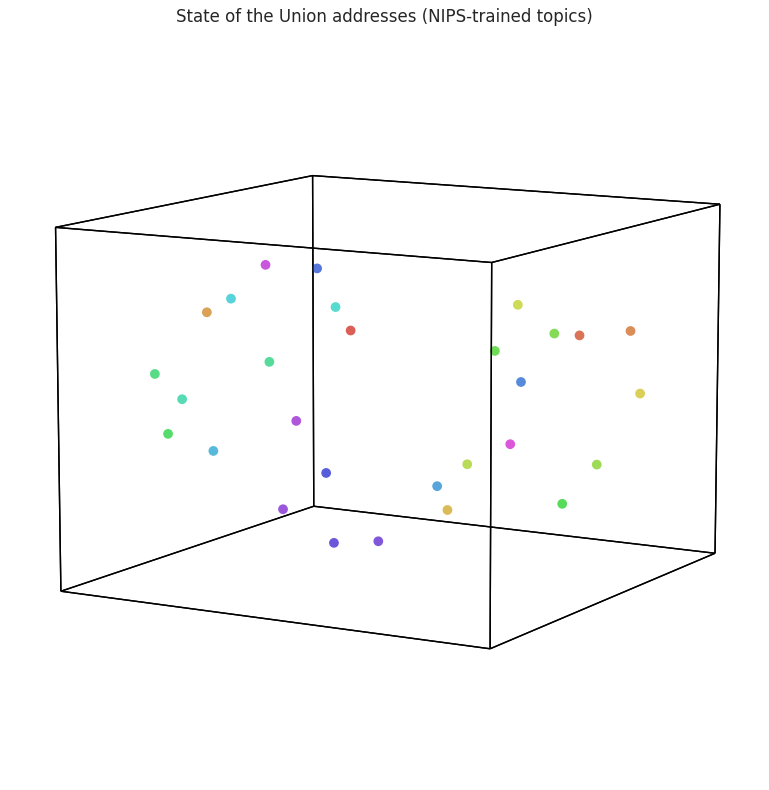
Interestingly, transforming the data with a different topic model (trained on scientific articles) gives a different representation of the addresses. This is because the themes extracted from a homogeneous set of scientific papers are distinct from the themes extracted from a diverse set of Wikipedia articles, so the transformation function is unique to the corpus the model was fit to.